
SIP電話錄音配置和用戶指南。支持本地USB錄音和服務器錄音(TCP/UDP、SIP INFO),兼容BX3S/BX4/BX5S/BX6/BX7/GP210/BXU系列。
電話支援在通話中進行錄音。提供兩種錄音方式:
將 RTP 串流儲存為格式化的檔案到本地儲存(USB)。
將 RTP 串流傳送到錄音伺服器進行儲存與管理。
本文件適用於 BX3S、BX4、BX5S、BX6、BX7、BX7C、GP210、GP210i 及 BXU 系列 IP 電話。
本文件適用於需要瞭解電話通話錄音功能實作與改善的內部研發與測試工程師。
建立一個本地僅接收串流,並與通話串流混合。電話綁定到一個本地埠以接收混合後的 RTP 資料,然後將其寫入本地檔案或傳送至遠端伺服器。
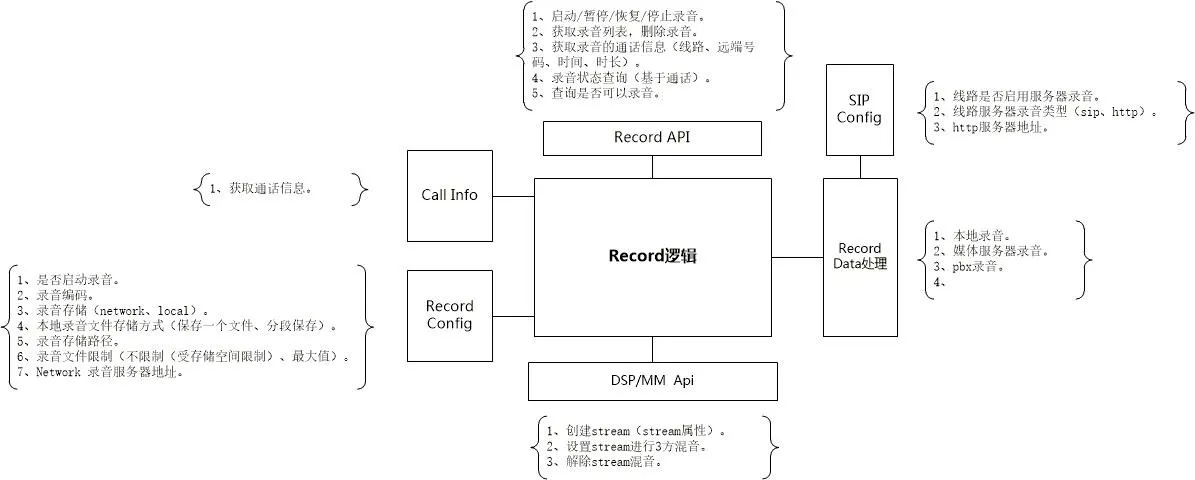
本地錄音需要 USB 隨身碟。電話會檢查 USB 儲存容量,建立名為 Record_[SystemTime] 的檔案,並儲存 RTP 資料。
若達到檔案大小限制且仍有空間,則會自動建立新檔案。錄音過程中支援暫停/恢復。
本地錄音檔案格式 (.wav):
| char codec[64] | int32_t rtpLen | int32_t increment | uint32_t dataSize | rtp data | rtp data | ... |
codec:錄音音訊編解碼器
rtpLen:RTP 資料長度
increment:時間戳增量
dataSize:RTP 資料總長度
伺服器錄音需要設定 serverAddr 和 serverPort。通訊包括控制命令 (TCP) 和 RTP 媒體 (UDP)。
電話發起錄音會話。伺服器分配一個專用 UDP 埠用於 RTP 串流。
錄音開始命令格式
請求:cmd=RecordStartRequest&id=xxx&device=xxx&remote_number=xxx&remote_name=xxx&local_number=xxx&local_name=xxx&dir=in|out&codec=xxx
回應:cmd=RecordStartResponse&id=xxx&result=success|failed&reason=xxx&server=xxx&port=xxx
id:唯一會話 ID(隨機,錄音期間固定)
device:電話 MAC 位址
dir:通話方向(進/出)
codec:RTP 編解碼器 (PCMA|PCMU)
server/port:用於 RTP 串流的 UDP 位址
注意:若伺服器回應「failed」,電話將顯示錄音失敗提示。
錄音停止命令格式
請求:cmd=RecordStopRequest&id=xxx&remote_number=xxx&remote_name=xxx&local_number=xxx&local_name=xxx&reason=xxx
回應:cmd=RecordStopResponse&id=xxx&result=success
發生 socket 錯誤時,雙方終止會話並清除狀態。
電話透過 UDP 向伺服器發送 RTP 封包,直到收到停止命令或連線中斷。
電話解析檔案標頭(編解碼器、時間戳、長度)以計算播放時間長度並控制播放。
本地錄音需要 USB 隨身碟。BX5S/BX6 支援;BX3S/BX4 不支援。
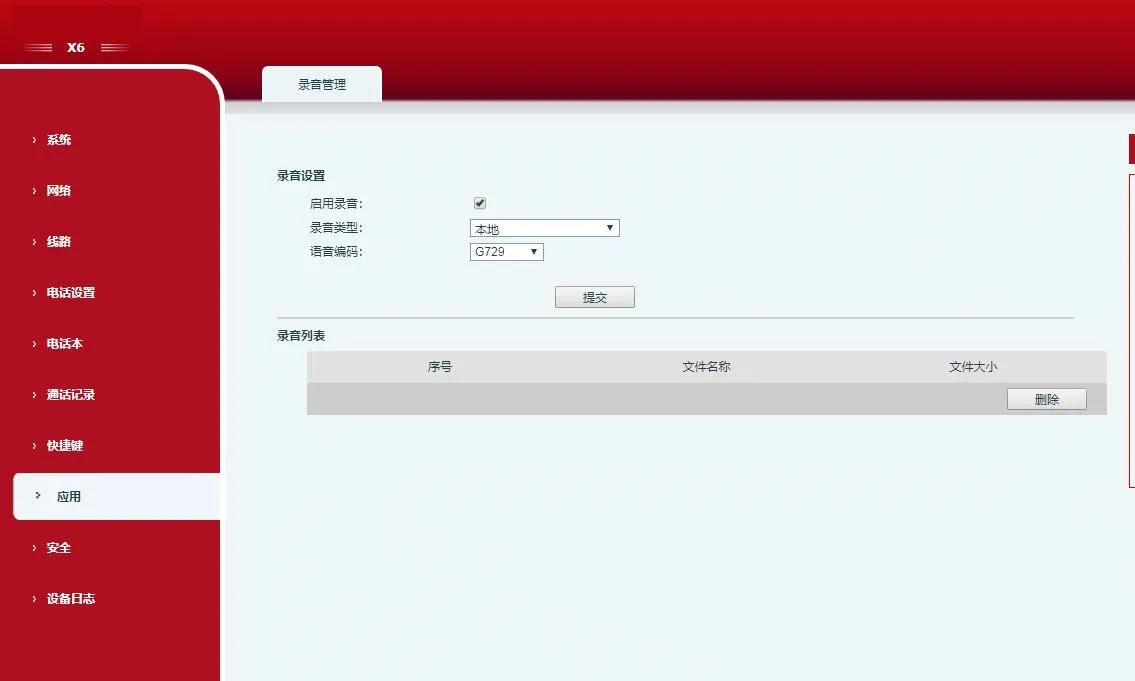
透過應用程式 > 錄音管理啟用錄音,將模式設為本地。
將DSS 鍵/功能鍵設定為錄音。
插入 USB 隨身碟,撥打電話,按下錄音鍵開始錄音。
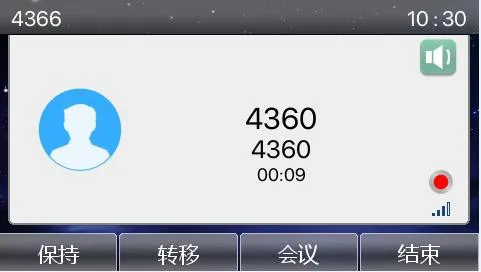
再次按下可停止錄音。
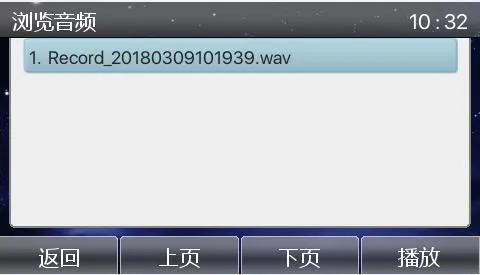
透過應用程式 > USB 檢視/播放錄音。
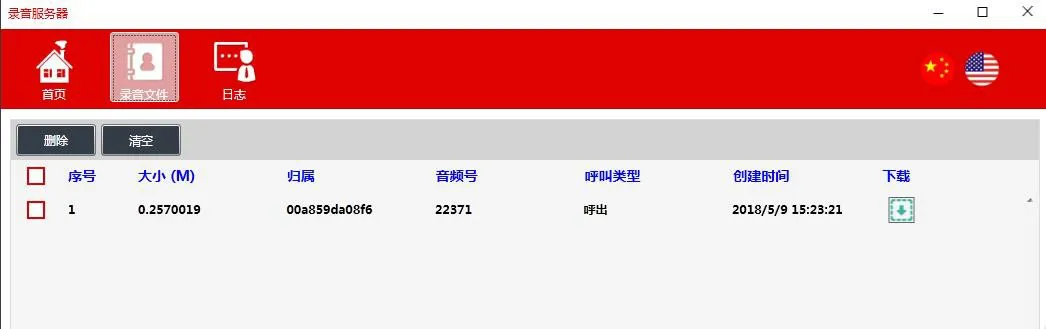
安裝 RecordServer 軟體(支援 PCMA/PCMU/G722)。
伺服器路徑:\\172.16.1.8\firmware\Applications\RecordServer
執行 RecordServer.exe 啟動服務。
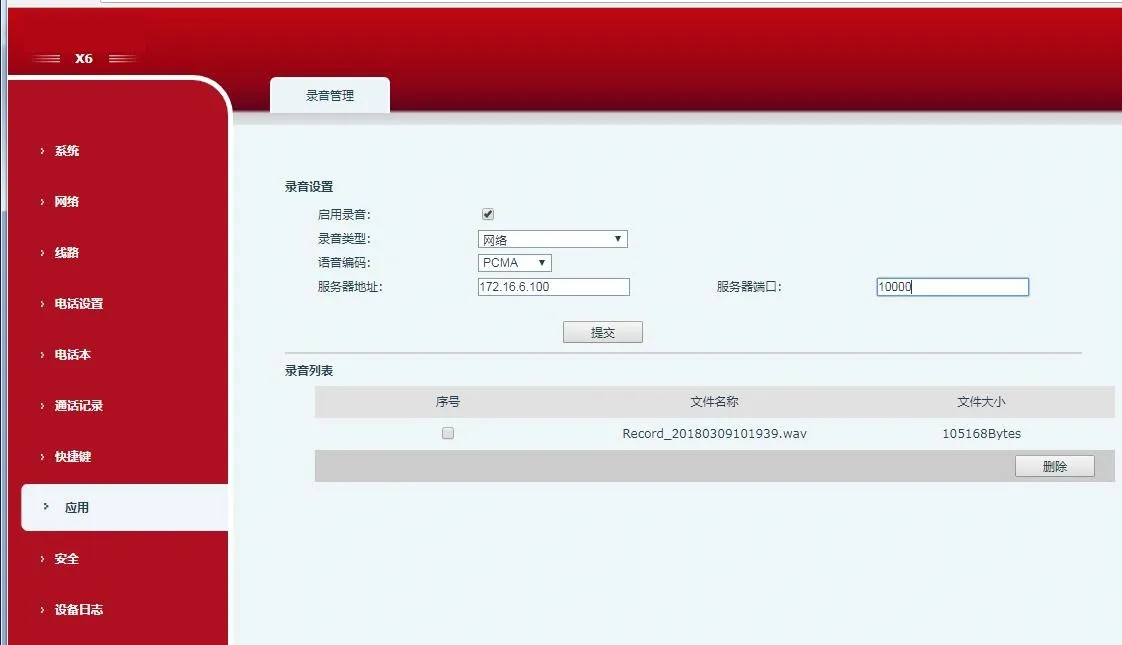
在電話網頁介面中,啟用錄音,將類型設為網路,輸入伺服器 IP/埠,選擇編解碼器。
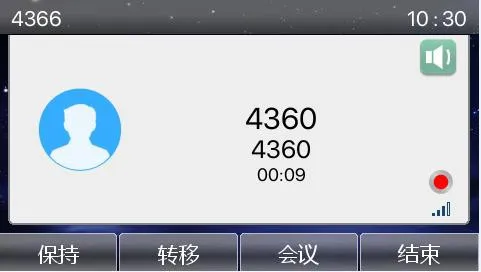
撥打電話,按下錄音 DSS 鍵。
停止錄音並從伺服器下載檔案。
將電話註冊到支援 SIP INFO 的伺服器(例如 3CX)。
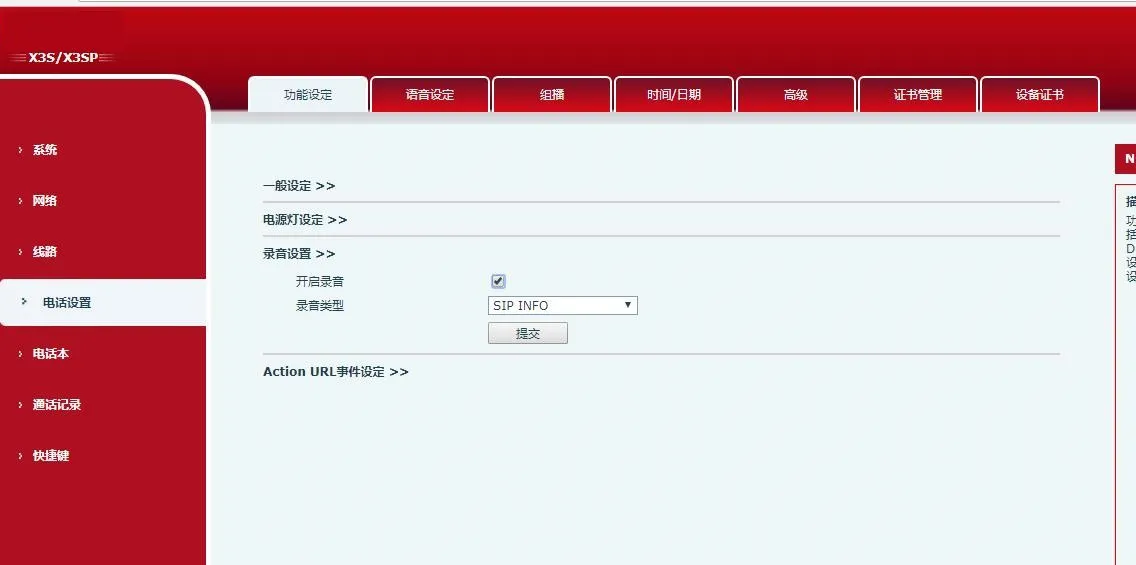
在網頁 UI 上,啟用錄音並將類型設為 SIP INFO。
設定錄音 DSS 鍵,在通話中開始/停止錄音。
在 SIP 伺服器 (3CX) 管理入口網站檢視錄音。