
工業IP電話SIP熱點功能指南。支持BX/BH/Industry系列(V25+),支持羣組振鈴、SIP帳戶共享、分機管理和GP210i PBX控制以進行遠程重啓/升級。
SIP 熱點是一項簡單實用、易於設定的功能。此功能實現群組響鈴,並擴展可使用的 SIP 帳號數量。
將電話 A 設定為 SIP 熱點,其餘電話(B、C)做為 SIP 熱點用戶端。當來電撥打至電話 A 時,A、B、C 會同時響鈴。任意一台電話接聽後,其餘設備將停止響鈴,不支援多人同時接聽。當 B 或 C 撥打外線時,會使用電話 A 註冊的 SIP 號碼。
GP210i 可做為迷你專用交換機(PBX),搭配其他 Fanvil 產品(例如 BHP-SOS10)管理內線設備,包含遠端重新開機與韌體升級。
此功能自韌體版本 V25 開始支援。支援的電話機型如下:
BX 系列電話
BH 系列電話
工業系列電話
以臥室、客廳、浴室皆有電話的居家環境為例:未開啟 SIP 熱點時,每台電話需獨立 SIP 帳號。啟用 SIP 熱點後,所有電話僅需共用一組帳號,簡化管理作業。
未啟用 SIP 熱點:僅被叫電話響鈴。
啟用 SIP 熱點:所有電話同時響鈴(群組響鈴),任一設備接聽後,其餘電話停止響鈴。
熱點伺服器支援 SIP 註冊,並自動分配內線號碼給用戶端。
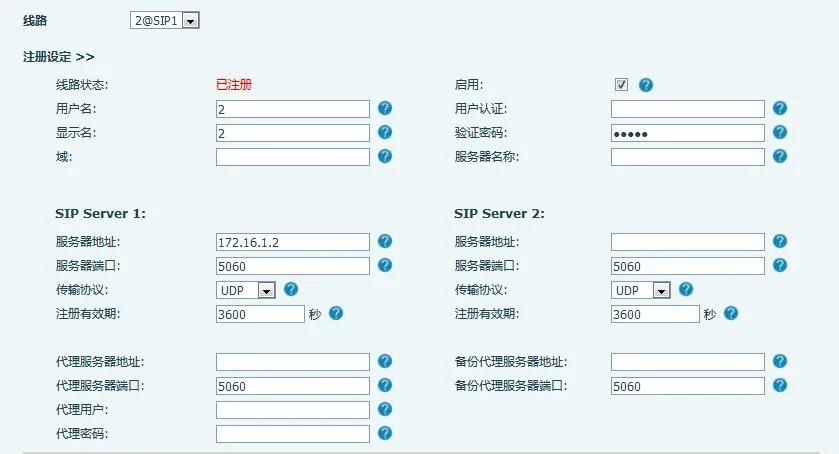
熱點伺服器可在無 SIP 註冊的情況下分配內線。此模式下,號碼與伺服器欄位為必填。
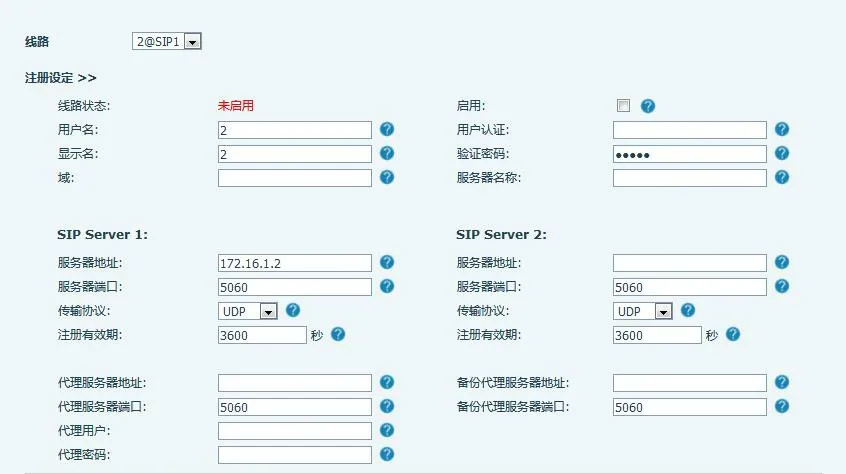
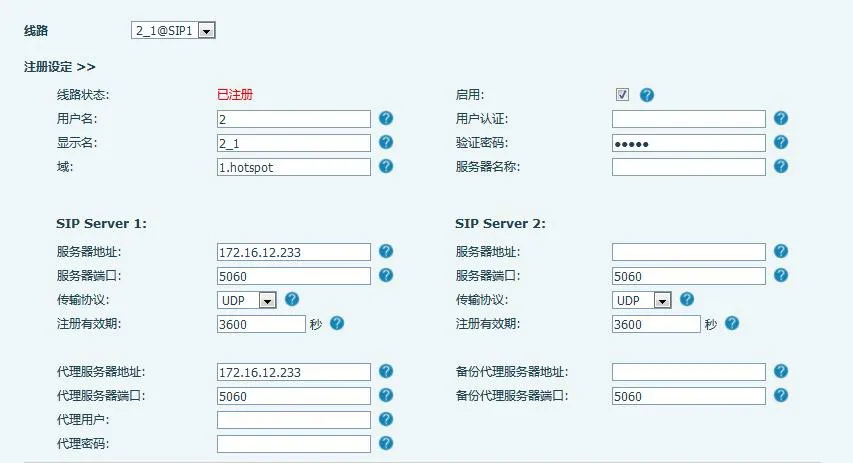
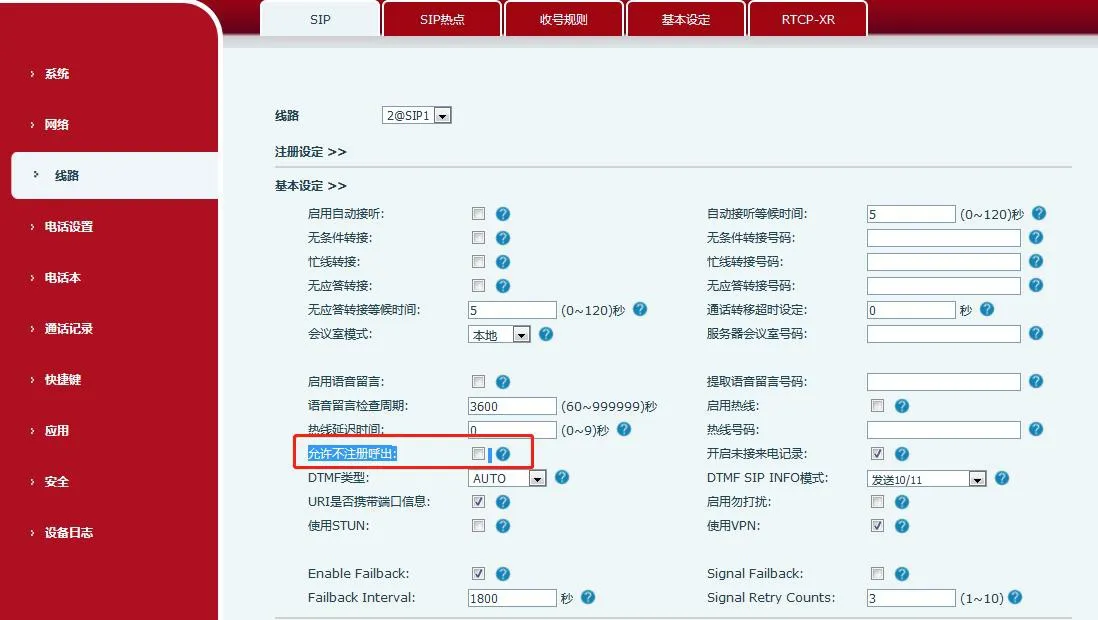
備註:請開啟「未註冊撥號」,允許伺服器撥打內線。
設定路徑如下:
啟用熱點:將「啟用熱點」設定為 已啟用。
模式:選擇 熱點(設備做為 SIP 熱點伺服器)。
監控類型:可選擇廣播或群播。使用群播可減少網路廣播封包。伺服器與用戶端必須使用相同類型。
監控位址:伺服器與用戶端通訊使用的群播 IP(僅群播模式必填;廣播模式預設使用 WAN 廣播 IP)。
本機連接埠:自訂通訊連接埠(伺服器與用戶端需一致)。
名稱:設定 SIP 熱點名稱。
外線響鈴模式:全部(主機+內線響鈴)、內線(僅內線響鈴)、主機(僅主機響鈴)。
通話線路設定:於指定 SIP 線路上開啟 SIP 熱點。
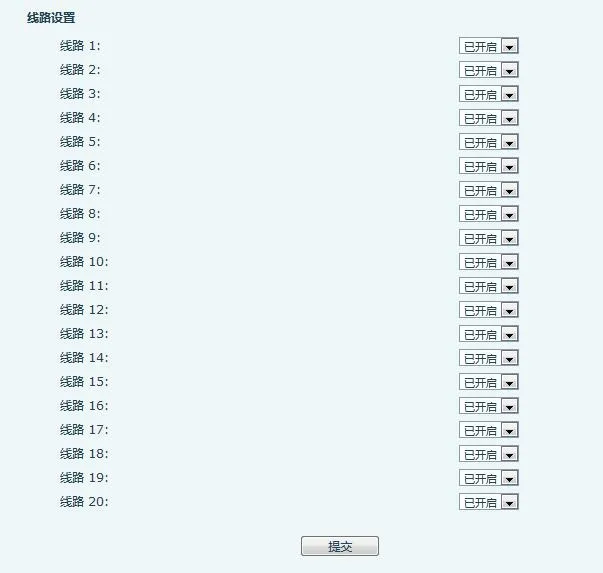
已連線設備:顯示線上用戶端及其別名(內線號碼)。
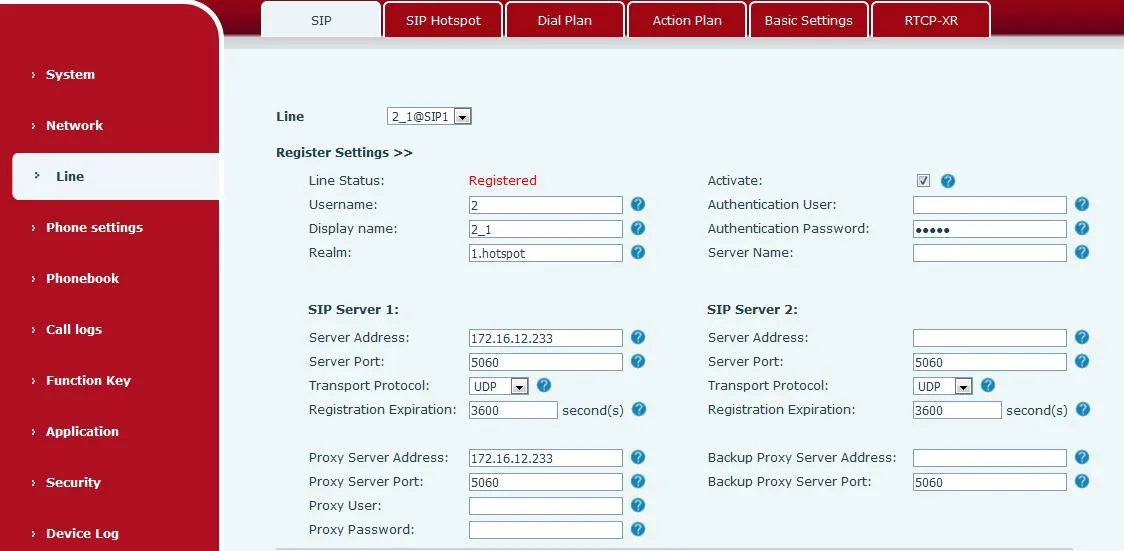
備註:若 GP210i 做為熱點伺服器,請參閱 2.2 章節。
當 GP210i 做為熱點伺服器時,可自訂內線前置碼:
個別 SIP 線路開啟或關閉前置碼
最終內線號碼 = 前置碼 + 指派內線號碼
範例:前置碼=8、內線號碼=001 → 完整號碼=8001
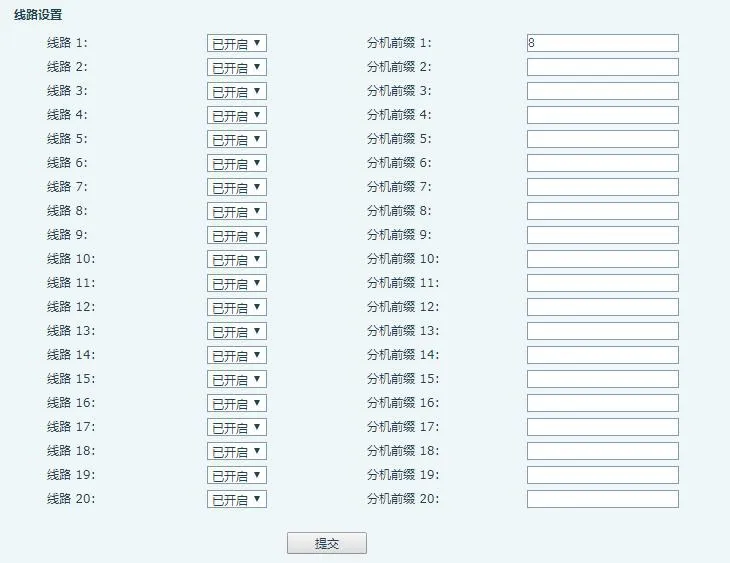
備註:GP210i 做為伺服器時,需手動將設備從「未管理內線」移至「已管理內線」。
已管理內線支援遠端重開機、韌體升級與群組響鈴。管理模式:0=無限制存取、1=僅開放授權設備。
1. 未管理內線
伺服器自動配置帳號給用戶端,並顯示於此清單。

MAC:設備 MAC 位址
機型:設備型號
版本:韌體版本
IP:設備 IP 位址
內線:指派的內線號碼
狀態:線上/離線
註冊號碼:主要 SIP 帳號
刪除:移除設備
移至管理清單:授予設備管理權限
2. 已管理內線
支援設備重啟、升級、編輯、群組分類與刪除。

內線名稱:設備備註名稱
MAC:MAC 位址
機型:設備型號
版本:韌體版本
IP:IP 位址
內線:內線號碼
群組:所屬群組
狀態:線上/離線
註冊號碼:主要 SIP 帳號
編輯:修改名稱/MAC/內線/群組
新增:手動加入設備(需填入 MAC)
刪除:移除設備
升級:遠端韌體更新
重新開機:遠端重啟設備
加入群組:指派至指定群組
移至未管理:撤銷設備管理權限
3. 熱點群組
撥打群組專屬號碼,即可觸發全體成員群組響鈴。
名稱:群組名稱
號碼:群組響鈴號碼
編輯:修改群組內容
新增:建立新群組
刪除:移除群組
欲升級已管理設備,請輸入升級伺服器網址並確認。設備將自動下載並安裝韌體更新。
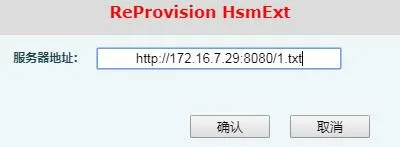
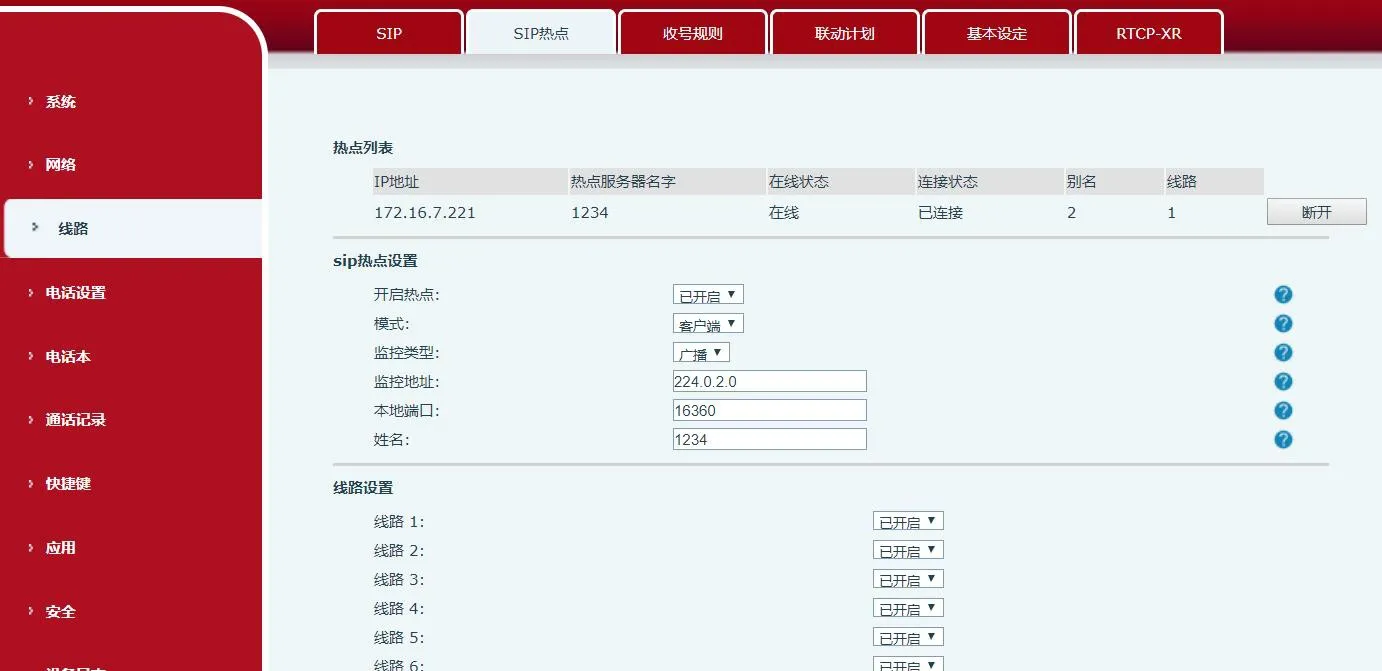
以 BX6 做為用戶端為例:無需手動設定 SIP 帳號,設備會自動取得熱點配置。
模式設定為 用戶端
監控類型、連接埠、位址等設定,需與熱點伺服器完全一致
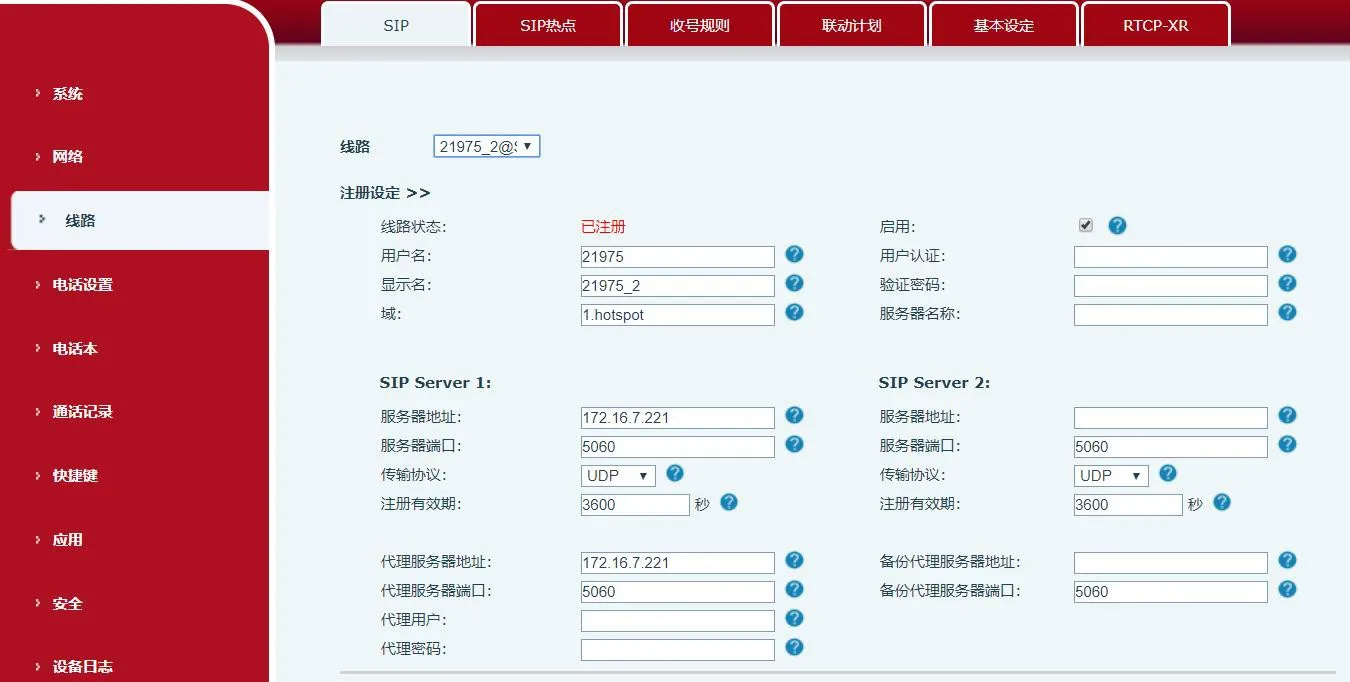
伺服器 IP 與顯示名稱會自動填入:
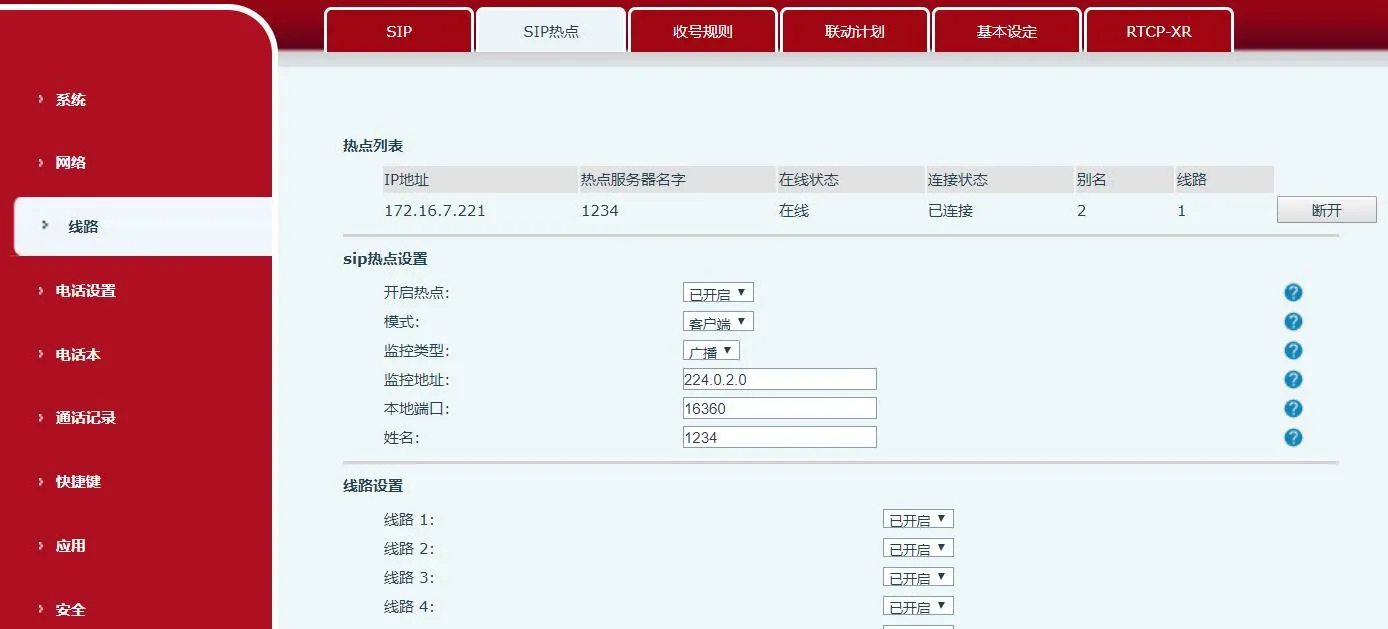
熱點清單會顯示已連線的熱點(例如:IP:172.16.7.221、線路:0)。撥打0可聯絡熱點主機,點選斷開連線即可終止連結。
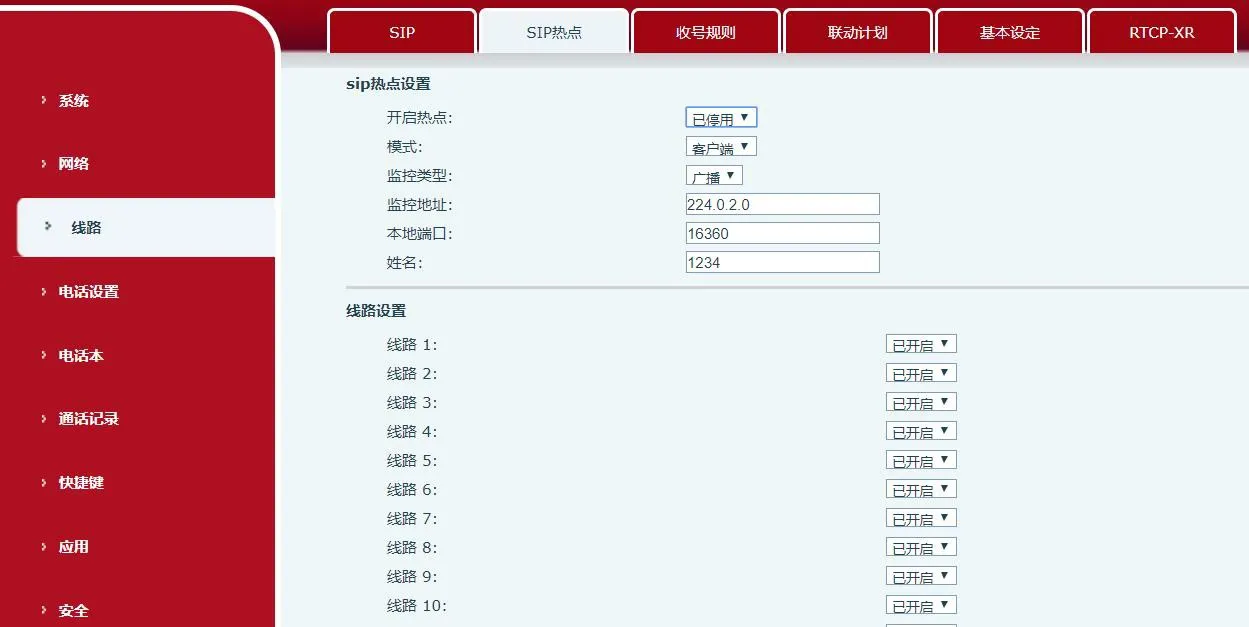
關閉 SIP 熱點時:
• 用戶端:清除所有註冊資訊
• 主機:保留註冊資訊
重要注意事項:
同一網域內有多組熱點時,需設定獨立的監控位址區段
熱點主機與用戶端皆可撥打外線
熱點主機支援通話轉接;用戶端僅具備基本通話功能
X5S/X6:設定立即生效;X3S/X4/BH:需重新開機才會套用變更
使用內線前置碼:
主機 → 內線:8000 → 8001
內線 → 主機:8001 → 8000
內線 → 內線:8001 → 8002
無前置碼:
主機 → 內線:0 → 1
內線 → 主機:1 → 0
撥打主機外線號碼,所有設備(主機+內線)會同時響鈴,第一台接聽的設備即可建立通話。
不論是主機或任一用戶端,皆可直接撥打外線號碼。