
工業電話音頻自檢功能指南:揚聲器/麥克風回聲測試,4種測試方法(Active URI/HTTP API/Time Plan/SIP Message),故障排除。
本文件說明工業對講與門禁電話設備的音訊自檢,也稱為回聲自檢功能。 該功能透過喇叭播放音訊,並由麥克風擷取音訊,以測試喇叭與麥克風,從而實現音訊元件的遠端診斷。
BHP-SOS12, BHP-SOS11, BHP-SOS16V, BHP-SOS18, Bi20S, Bi30, Bi32V, Bi33V, BHP-SOS10V, BK-DAB-PA3, BK-DAB-PA2S
設備透過喇叭播放測試音,然後透過麥克風錄音。設備會測量接收到的音訊百分比: - 高於閾值 = 測試成功 - 低於閾值 = 測試失敗
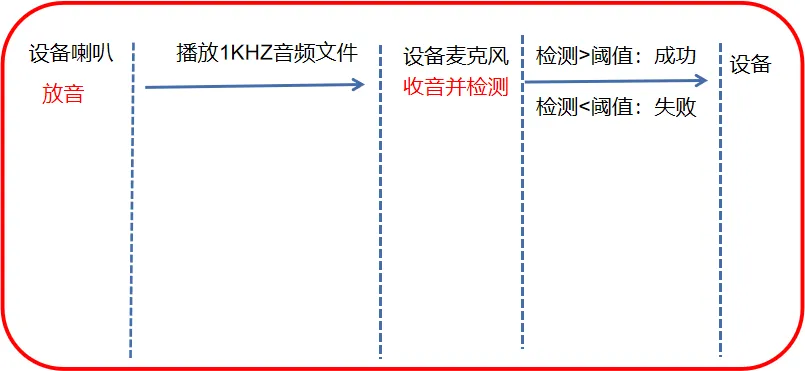
圖 1 音訊自檢示意圖
用於遠端設備巡檢,特別適用於廣播音訊缺失或中斷的情況。 可降低現場維護成本並提升效率。
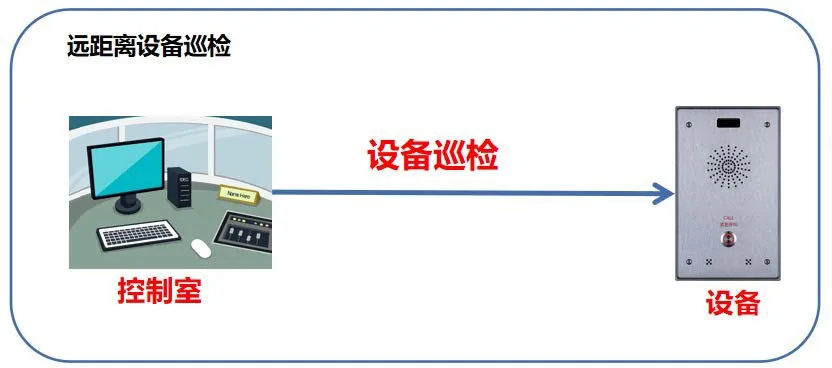
圖 2 音訊自檢場景
1 台工業對講設備,例如 BHP-SOS12、PoE 交換器、Keneng 伺服器
連接至同一 LAN 的設定電腦
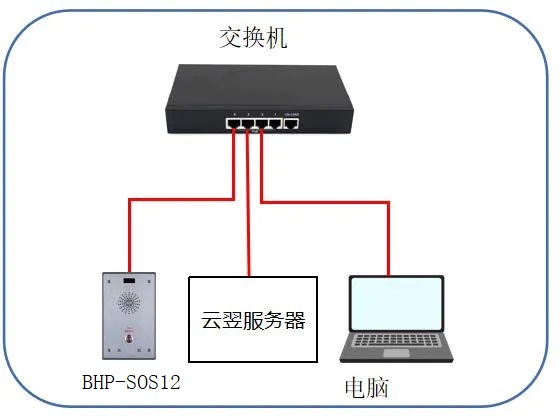
圖 3 設備與電腦連線示意圖
回聲自檢提供以下四種方法:
透過遠端控制台發送 HTTP GET 請求觸發。
格式: http://device-ip/cgi-bin/ConfigManApp.com?key=ECHO_TEST
結果:
- 成功:喇叭與麥克風正常工作
- 失敗:喇叭/麥克風斷開或故障
範例: http://172.18.8.15/cgi-bin/ConfigManApp.com?key=ECHO_TEST

圖 4 Active URI 音訊自檢
基於 XML 的 API,用於第三方整合。
請求 URL: http://device-ip/xmlservice (POST)
請求 XML:
URI="cmd:echo_test"
回應 XML:
URI="cmd:echo_test"
0
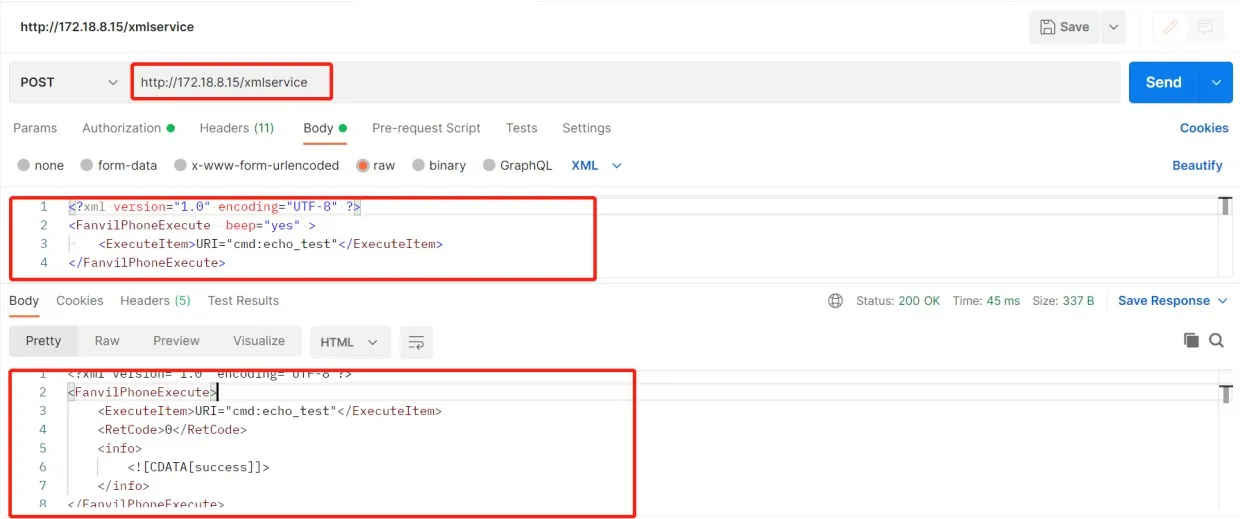
圖 5 HTTP API 音訊自檢
排程自動自檢,並透過 Action URL 回報結果。
登入 Web UI → Intercom → Time Plan → Time Plan Rule
Action Type: Audio Self-Test
設定執行時間
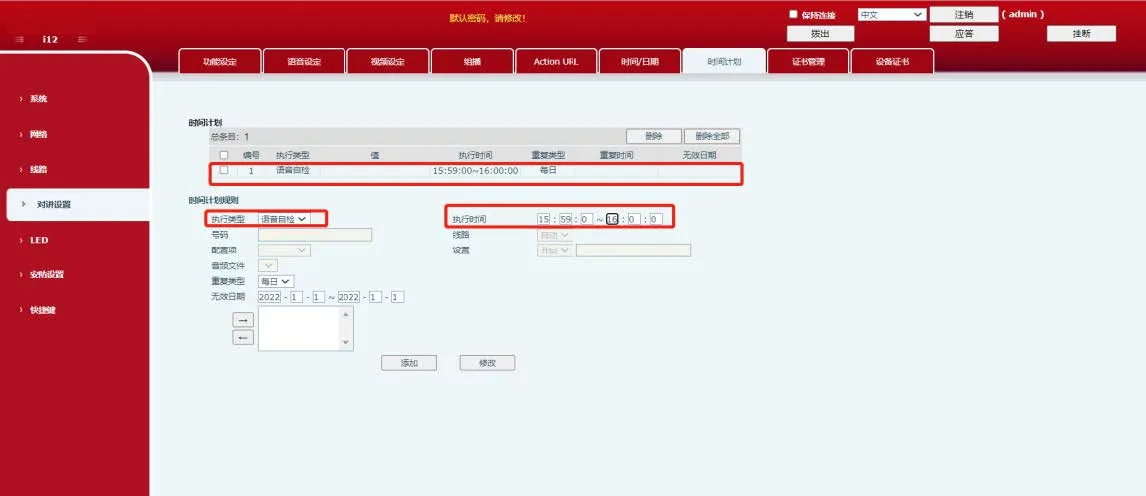
圖 6 時間計畫音訊自檢
在公網環境中透過 SIP 伺服器執行自檢。
設備在伺服器上註冊 SIP 帳號
在 Keneng 伺服器上建立自檢任務
執行任務:在伺服器上查看 Success/Failure
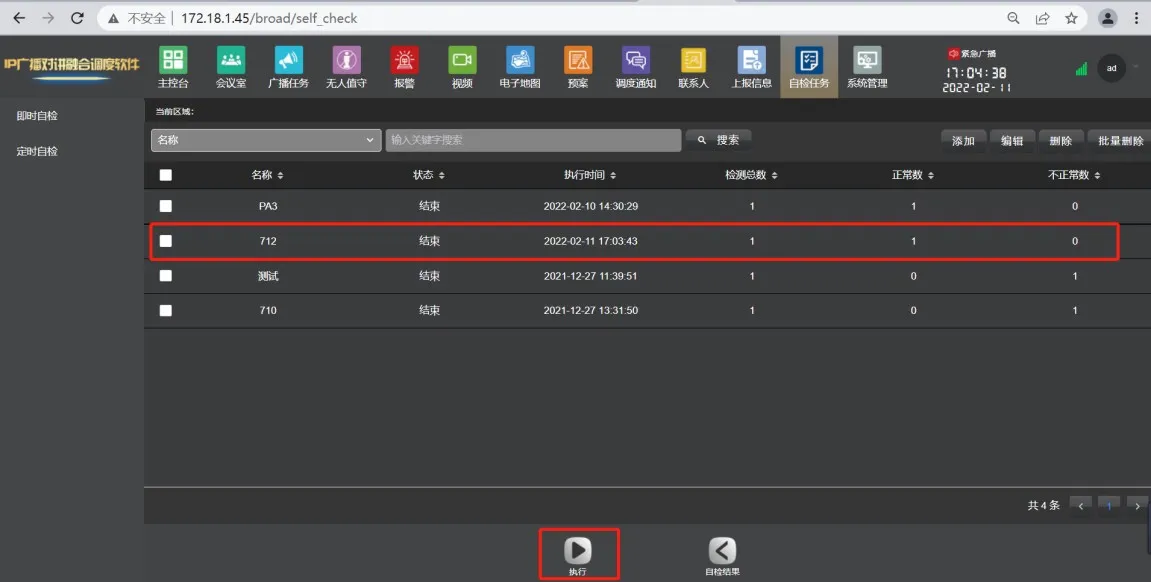
圖 7 SIP 訊息音訊自檢
封包擷取驗證:
Web UI → System → Tools → Packet Capture → Start
執行自檢 → 停止擷取
在 Wireshark 中開啟 → 篩選 sip
檢查 MESSAGE 內容:Success / Fail
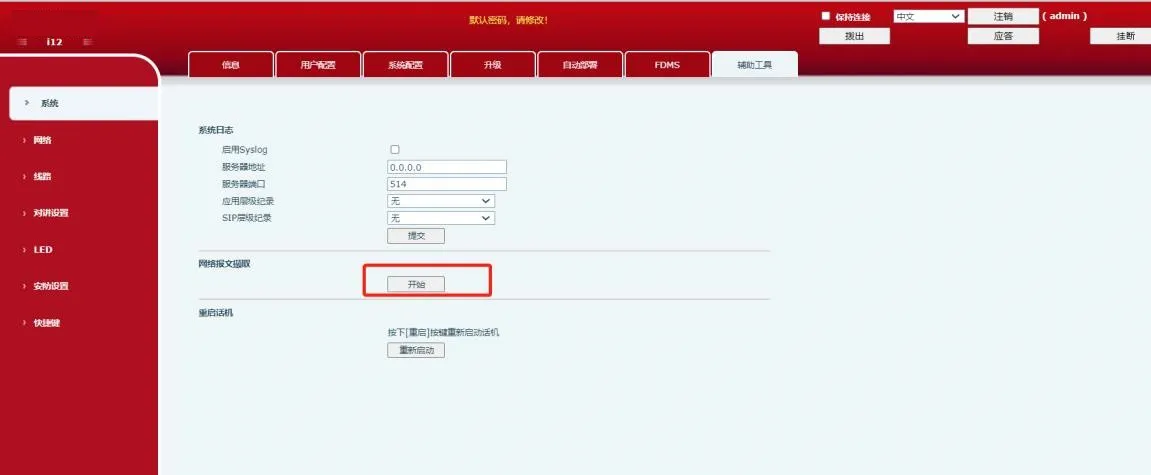
圖 8 設備封包擷取
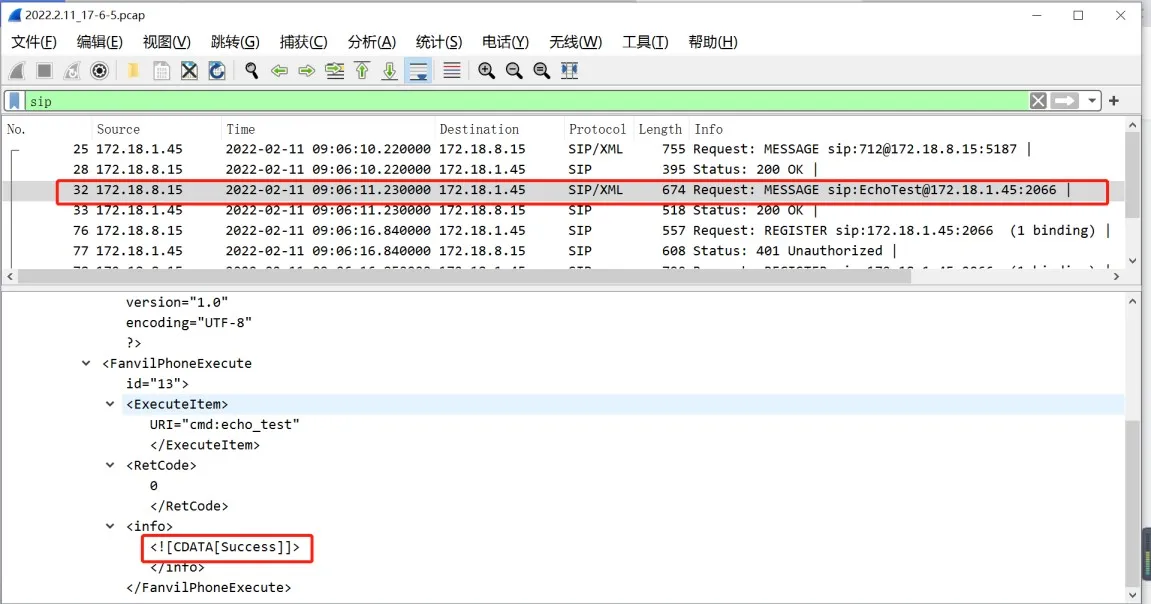
圖 9 透過封包擷取檢查結果
檢查連線
喇叭斷開 = 測試失敗
麥克風斷開 = 測試一定失敗
檢查元件
確認喇叭與麥克風未損壞
若元件正常但測試失敗,請聯絡支援
檢查環境
測試使用 1KHz 音調
環境中的 1KHz 噪音可能造成誤判成功
請在安靜環境中測試