GOIP32T is an all-in-one wireless GOIP Gateway that bridges mobile wireless networks and VoIP voice networks.Integrated IPPBX functionality.It combines wireless channel access and PBX call control in one system, making it a practical choice for small and mid-sized deployments that need SIP extensions, wireless trunks, IVR, call recording, conferencing, and paging in a single platform.
This guide rewrites the original Chinese manual in clear, natural English for international users. It is designed to help installers, administrators, and technical users understand the product faster and complete deployment with fewer errors.
GOIP32T is best understood as a wireless-enabled IP PBX. It connects cellular voice resources and SIP-based communications, allowing a business to manage internal extensions, external calling, routing logic, and voice applications from one device.
It is well suited to projects that need wireless channels and PBX features at the same time, especially where voice routing, SIP endpoints, voicemail, recording, and paging all need to work together.
Typical use cases include registering SIP desk phones and softphones, using wireless channels as outbound or inbound trunks, creating inbound and outbound routing plans, building IVR menus, enabling queue-based call handling, creating conference rooms, and sending recordings or voicemails to email or network storage.
Because it combines call control and wireless access in one platform, it can also simplify deployment in branch sites, hybrid voice environments, and mobility-focused installations.

The front panel is mainly used for quick status checks. It shows power, system run status, Ethernet status, and SIM card or channel activity. The rear panel contains the 32 antenna ports, serial port, Eth0, Eth1, power input, and the USB port used for recording storage.
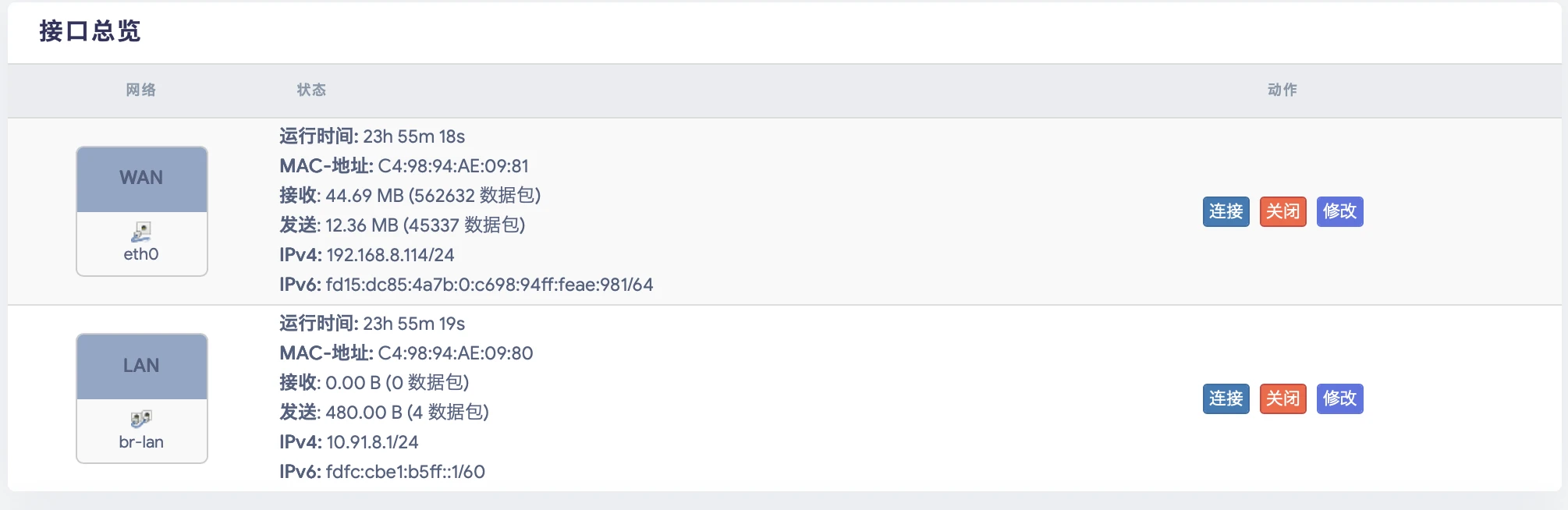
During installation, it is important to distinguish clearly between the WAN and LAN interfaces. The WAN port is generally used for upstream network access, while the LAN side is more commonly used for local administration and device-side access.
A solid Power LED means the unit is powered on. A slowly flashing Run LED usually means the system is operating normally. If the Run LED flashes rapidly or stops flashing, the unit may be in an abnormal state or in a special maintenance process.
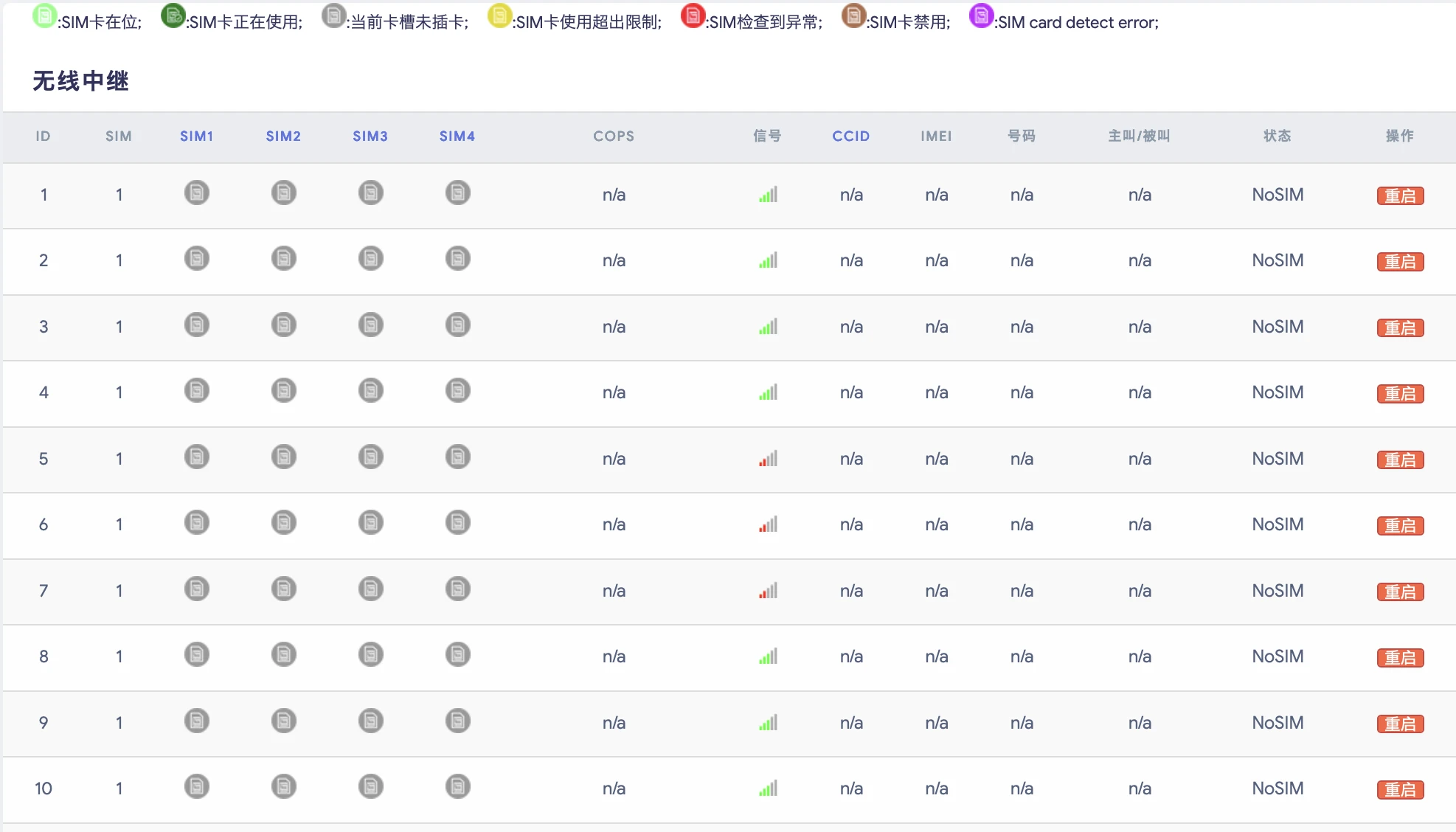
The Eth0 and Eth1 indicators show network link and activity. Channel LEDs typically indicate whether a channel is idle, active in a call, ringing, or waiting for answer. In daily maintenance, these indicators provide the fastest first-level diagnosis of device status.
Press and hold the reset button for about 3 seconds to restore the network settings and Web login password to factory defaults. Press and hold it for about 12 seconds to restore the entire device configuration to factory defaults.
If you hold the button for about 20 seconds and then release it, the reset operation is canceled and no change is applied. During field work, always watch the Run LED pattern rather than relying only on timing.

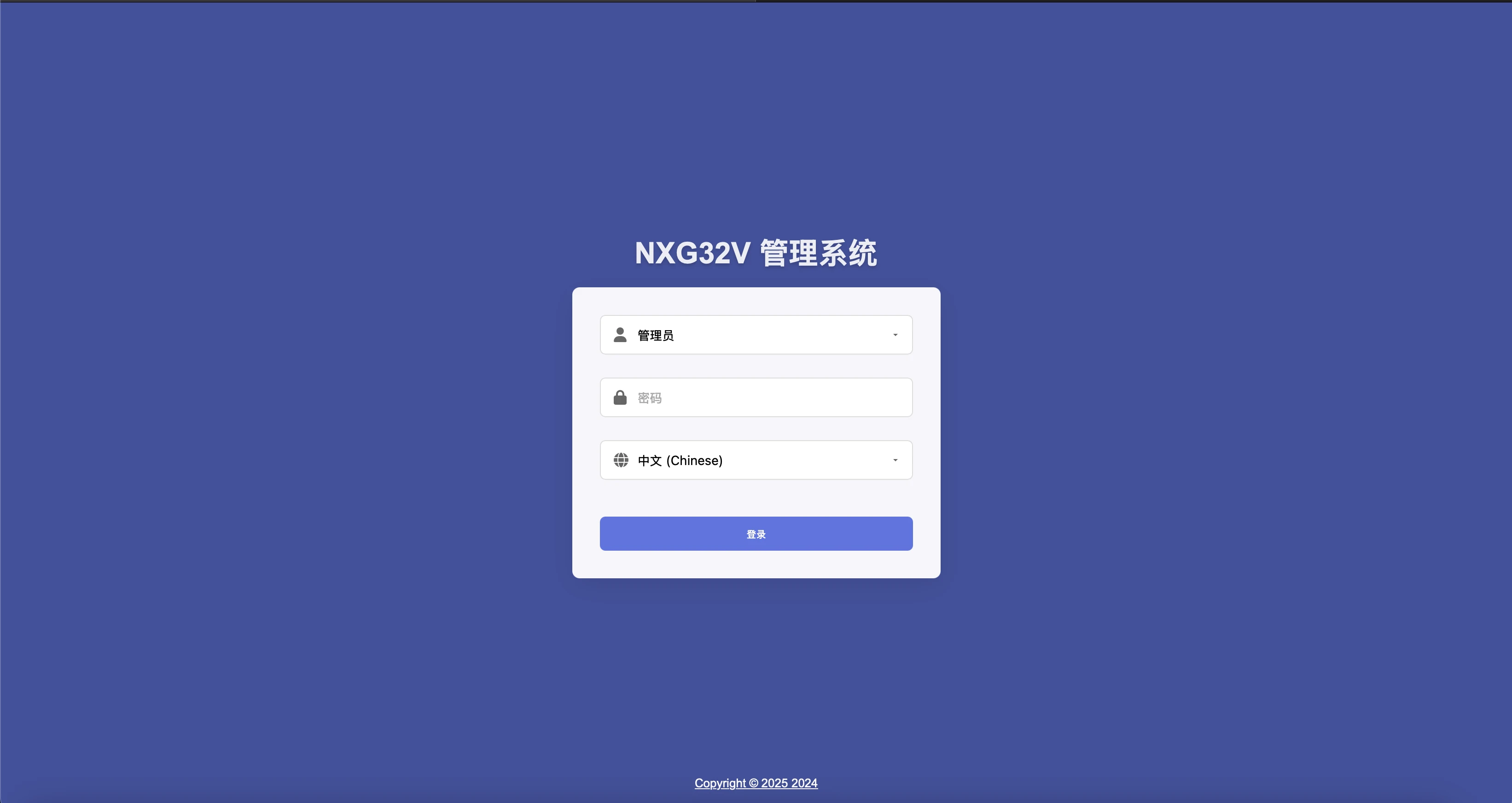
Connect a computer to the LAN port of the device. In most cases, the computer will receive an IP address automatically. Open a browser and go to 10.91.8.1. The default username is admin and the default password is admin.
This is the most direct way to access the management interface during initial deployment, especially before the WAN side has been integrated into the site network.
If the device has already been connected to the company network and the WAN interface has obtained a valid IP address, you can also log in from a computer on the same network by entering that WAN-side IP address in your browser.
This is useful once the system has been moved from bench setup to a live network environment.
Do not start with service configuration immediately. First, change the default administrator password. Then update the network settings so they match the real site environment. After that, enable Web Auto Defense and SIP Auto Defense.
As a security best practice, keep the device on a private LAN whenever possible. If Internet exposure is unavoidable, you should also enforce firewall rules, restricted port forwarding, and source IP controls.

In this design, GOIP32T behaves primarily as a wireless and voice access gateway. The upstream PBX or communication platform handles centralized service logic, while GOIP32T contributes wireless channel capacity and media access.
This approach works well in larger voice networks where centralized control is preferred.
In this mode, GOIP32T itself acts as the PBX. You create SIP extensions on the unit and register IP phones, softphones, or other SIP terminals directly to it.
This is often the most practical deployment model for small and medium-sized projects because the system stays self-contained and easier to manage.
This mode is designed for PBX-to-PBX interconnection or for using GOIP32T as a dedicated trunk resource node. The main requirements are correct SIP trunk settings, compatible codecs, proper NAT handling, and a routing plan that matches both sides.
It is a strong option for staged migration projects or interconnection between separate voice domains.

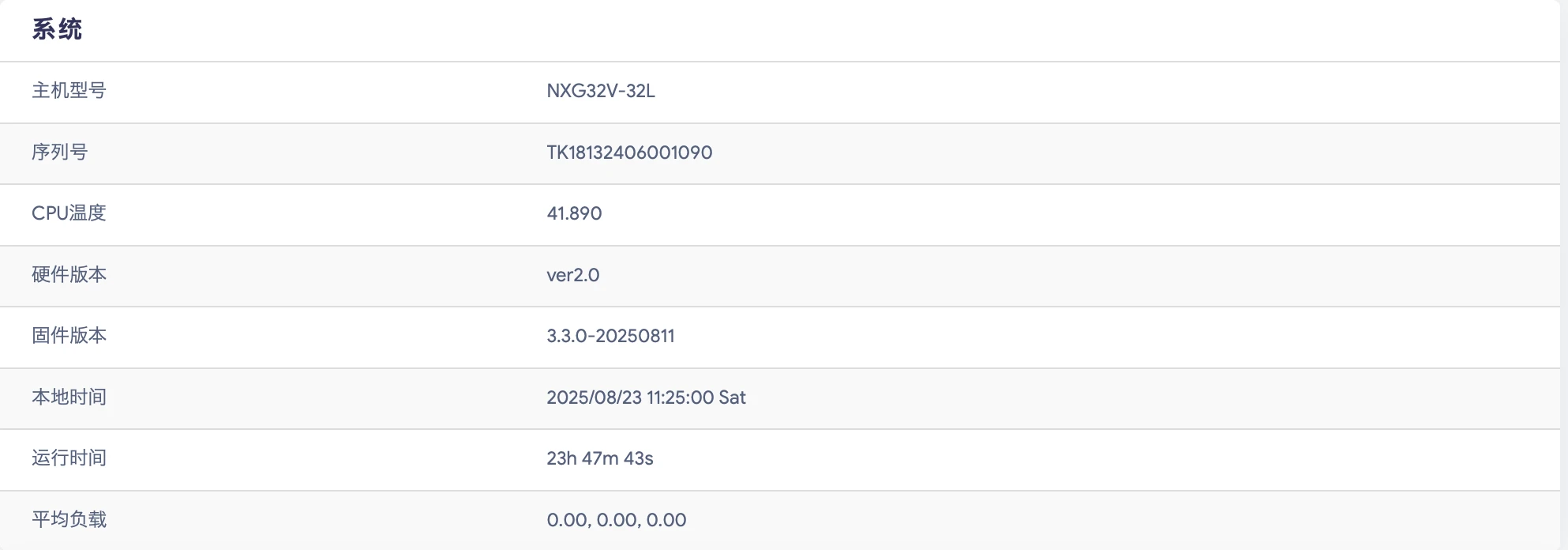
The overview page is the best place for a quick health check. It typically shows the model, serial number, firmware version, local time, average load, memory usage, and network interface status.
If you need to confirm whether the system is generally healthy before deeper troubleshooting, start here.
This page shows the number of registered extensions and trunks, current active calls, conference activity, and concurrency information. If endpoints fail to register, outside lines are unavailable, or call capacity appears limited, this page is one of the first places to check.
It is especially useful during commissioning, acceptance testing, and live monitoring.
The real-time information area helps you monitor CPU load, network traffic, and current network connections. It is useful when you suspect performance issues, abnormal access, unstable traffic flow, or unexpected disconnections.
Used together with logs and packet capture, it provides a valuable starting point for structured fault diagnosis.

GOIP32T supports three common IP assignment methods: Static IP, DHCP, and PPPoE. Static IP is usually the most stable option. DHCP is the easiest to deploy. PPPoE is typically used only when the WAN side connects directly to an ISP access environment.
Before configuring services, decide which addressing method best matches the project network.
Go to Network > Interfaces, edit the LAN or WAN interface, and switch the protocol to static IP. Then enter the IPv4 address, subnet mask, gateway, broadcast address, and DNS server, and apply the settings.
Static IP is the preferred option in most business and managed-site deployments because it keeps the administration address predictable.
If you want the system to obtain its address automatically, set the interface to DHCP Client. This is simple and quick, but the assigned IP may change after a reboot unless the DHCP server uses a reservation.
For long-term maintenance, DHCP reservation is often recommended even when DHCP is used.
If the WAN port connects directly to a broadband line that requires PPPoE, set the protocol accordingly and enter the username and password provided by the carrier.
This mode is mainly used in carrier-facing or direct-access scenarios rather than inside managed enterprise LAN environments.
Some carrier environments, IMS links, or private network deployments require host mapping and static routes. The practical rule is simple: traffic for special networks must leave through the correct interface instead of the default route.
When IMS services or operator-side SIP trunks are involved, proper route control is often essential for successful signaling and media flow.
A typical IMS private line design uses the WAN port toward the local router and a dedicated IMS-side interface toward the carrier router. SIP trunk traffic destined for the operator network should be forced through the IMS interface.
In some cases, firewall allow rules are also required. Without them, valid SIP traffic may be blocked even though the IP and routing settings look correct.

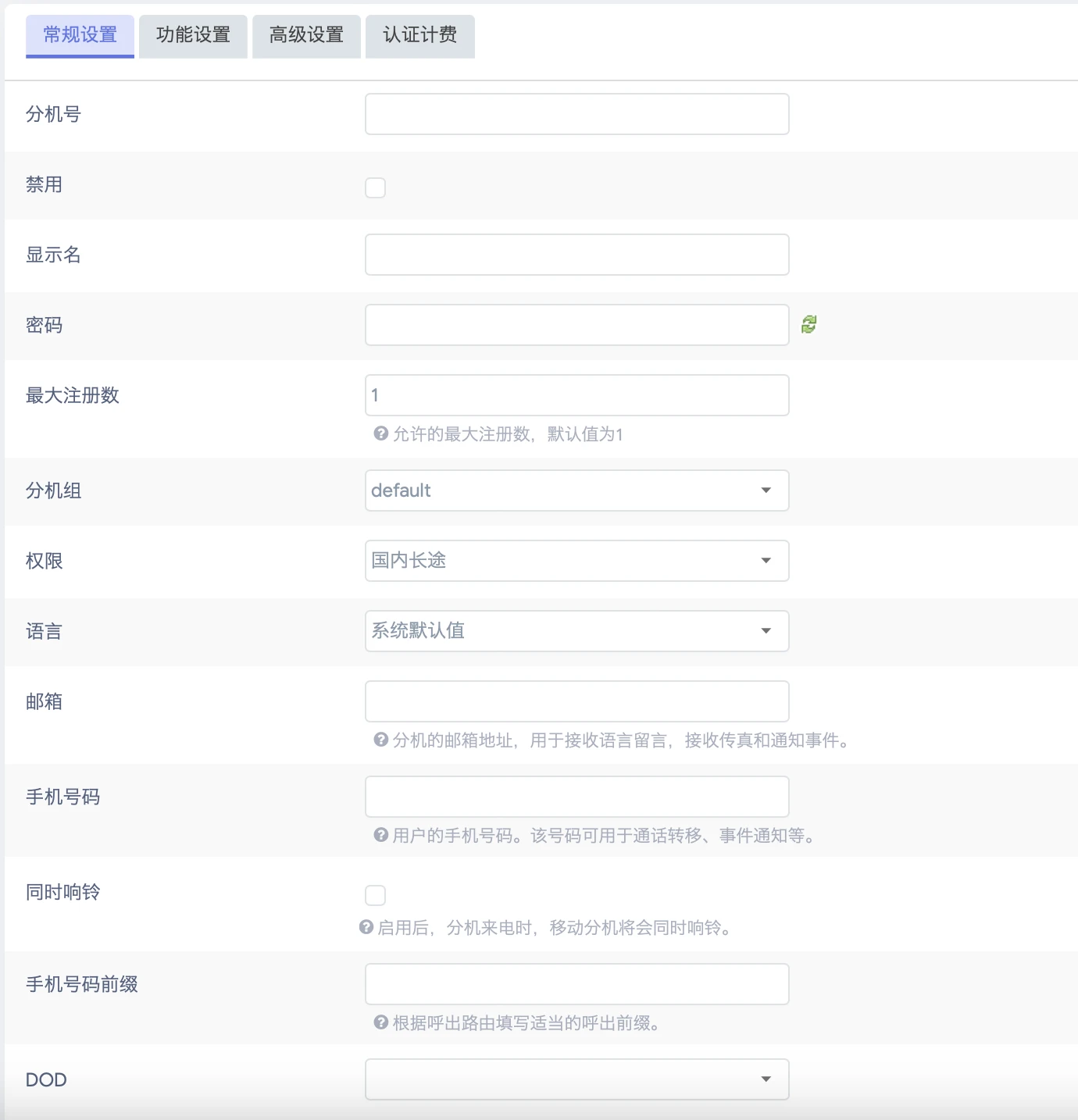
Go to Extensions > SIP Extensions > Add, then enter the extension number, display name, registration password, maximum registration count, email address, mobile number, and other required settings.
Extension numbers are usually easier to manage when they are numeric only. Passwords should be strong enough for a production environment, especially if remote registration is allowed.
Remote registration allows an external IP phone or softphone to register to the GOIP32T from outside the local office network. To make this work, the upstream router must forward the correct ports, and the PBX must be configured with the correct NAT type, public IP address or domain name, and local network range.
You should also enable NAT support and remote registration on the extension itself. Without these settings, registration may fail or audio may behave incorrectly.
Maximum Registrations controls how many terminals can register to one extension at the same time. Permissions decide where the extension is allowed to call. Email is used for voicemail delivery, while Mobile Number and Simultaneous Ring are useful for mobile work scenarios.
These settings directly affect daily usability, so they should be planned before large-scale extension rollout.
When voicemail is enabled, callers can leave messages if the extension is busy or unanswered. Users can retrieve messages locally by dialing *2, or receive messages by email when SMTP has been configured correctly.
This feature is especially useful for staff who cannot stay at their desk or need message records outside the PBX.
Extension groups make it easier to organize users by department, role, or function. They are also useful later for call pickup, permission design, group-based routing, and internal calling rules.
For structured deployments, group design should be planned before advanced feature configuration begins.

The wireless trunk pages are used to configure each wireless channel, including DID behavior, PIN code, call waiting, call forwarding, VoLTE options, network search mode, call frequency limits, call count limits, call duration limits, and SIM switching strategy.
In practical deployment terms, this is where you define how each SIM resource is used, how heavily it can be loaded, and when the system should switch to an alternate SIM slot.
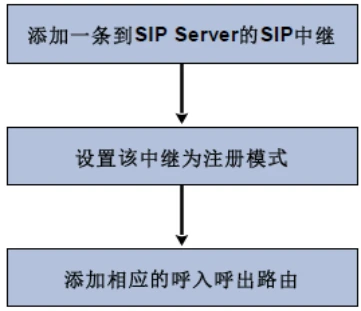
GOIP32T supports three primary SIP trunk modes. A Register Trunk registers to a carrier or service provider using account credentials. A Peer Trunk connects directly to another PBX or SIP system using an IP address or domain. An Account Trunk creates a SIP account on GOIP32T so another device can register to it.
The correct mode depends on how the remote side expects the session to be established.
For carrier interconnection, first confirm whether the provider requires registration mode or peer mode. For PBX-to-PBX connectivity, peer trunk or account trunk mode is often more direct and easier to troubleshoot.
Choosing the wrong trunk type can create unnecessary signaling issues even when the credentials and IP addresses are correct.
A trunk group allows outbound calls to move automatically to another available line when one trunk is busy. This improves service continuity and helps prevent failed outbound calls caused by single-line congestion.
For sites with multiple external paths, trunk grouping is a simple but important resiliency feature.

Inbound routes determine where incoming calls go. You can match calls by source trunk, caller number, called number, or time rule, then send those calls to an extension, IVR, queue, ring group, conference room, paging group, voicemail, or other destination.
Well-designed inbound routing is one of the most important parts of a successful voice deployment because it defines the customer-facing call flow.
Outbound routes determine who can call out and how calls leave the system. You define user permissions, dial patterns, trunk selection, and route priority. This gives you control over call permissions, numbering plans, and cost management.
In real projects, route priority matters. When multiple patterns overlap, the higher-priority route will be used first.
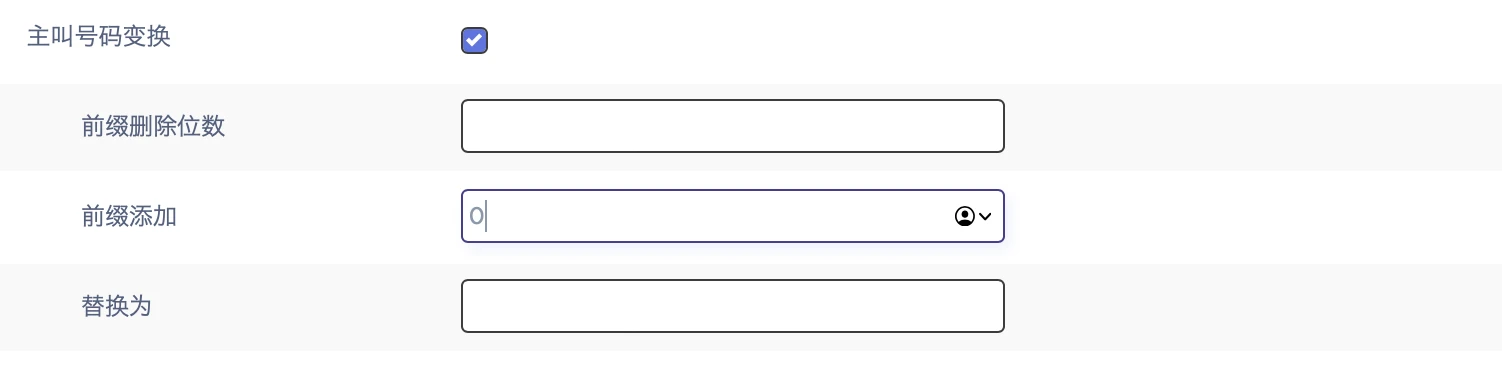
Number manipulation is used when caller ID or called number values need to be rewritten. Common examples include adding a prefix, stripping an area code, or redirecting a VIP caller to a dedicated service extension.
This feature is especially useful in multi-branch, carrier-interconnect, and CRM-linked environments.
Time rules allow the same incoming number to behave differently during office hours, lunch breaks, weekends, or public holidays. They can also limit outbound calling so that certain users can place external calls only during approved periods.
Time-based routing adds flexibility without requiring separate DID numbers for every schedule variation.
Blacklists block calls, while whitelists explicitly allow them. Whitelists take priority over blacklists. This is useful for blocking nuisance calls, limiting certain outbound number ranges, or allowing only approved numbers to reach a specific department.
It is a simple but effective control layer for call security and policy enforcement.
AutoCLIP automatically routes a customer callback to the extension that most recently called that customer. This is particularly useful in sales and customer service environments, where returning calls to the original agent improves continuity and responsiveness.
It can reduce missed communication and improve the overall caller experience.
IVR is ideal for front-desk call handling. Once you define the IVR number, prompt audio, timeout behavior, and key destinations, you can create standard call flows such as “Press 1 for Sales, Press 2 for Technical Support.”
This allows a small team to present a more structured and professional call experience without needing a live operator for every incoming call.
Ring groups are well suited to small teams that answer calls in parallel. Queues are more suitable for small call-center-style environments because they support waiting logic, announcements, ringing strategies, and agent handling rules.
The correct choice depends on whether the project needs simple shared ringing or organized waiting and distribution.
Conference rooms support multi-party calls, while paging groups are used for two-way intercom, one-way paging, and scheduled automatic broadcasting. Before deployment, make sure the endpoints support the required paging and auto-answer capabilities.
These functions are particularly useful in operational environments, service desks, and multi-location internal communication scenarios.
These features are designed for users who are not tied to a single desk. Follow Me can ring multiple extensions, while One Number Reach can also include a mobile phone number so calls are less likely to be missed.
They are especially valuable for supervisors, mobile staff, and mixed desk-plus-mobile work patterns.
Speed dial simplifies calling frequently used contacts. DISA allows an outside caller to enter the system and place an outbound call using company routing, but it should always be protected with a password. Wake-up service provides scheduled reminder calls to extensions.
Each of these functions is easy to enable, but DISA in particular should be configured carefully because of its security impact.
Additional functions include secretary extension, announcements, login and logout control, call forwarding, phonebook matching, fax to email, force disconnect, busy callback, call parking, and SMS.
Together, these functions allow GOIP32T to serve as more than just a basic voice gateway. It can operate as a fully featured business telephony platform.

These settings normally require changes only when the deployment has special requirements. In many projects, the default values are sufficient. However, when remote registration, Internet-based interconnection, encrypted calls, or WebRTC endpoints are involved, NAT behavior, TLS settings, ports, and codec selection become critical.
Incorrect NAT configuration is a common cause of one-way audio, failed registration, or sessions that do not release correctly.
Endpoints and trunk providers must share at least one common codec, otherwise calls will fail or media will not negotiate correctly. In poor network conditions, jitter buffer and QoS settings may improve call quality.
T.38 should generally be enabled only when fax services are actually required, because unnecessary fax-related settings can add complexity to the system.
Custom prompts and music files must match the required format. Even if a file appears to upload successfully, it may still fail during operation if the encoding parameters are incorrect.
For a stable deployment, prompt files should always be prepared according to the exact format expected by the system.
Call recording is one of the most widely used PBX features, but it depends on proper storage planning. GOIP32T supports local storage, USB, TF card, hard disk, and network storage.
If recording is enabled in production, automatic cleanup settings should also be planned in advance so that storage exhaustion does not interrupt service.
Once SMTP is configured and tested successfully, voicemail-to-email and fax-to-email become much more useful. In practice, delivery issues are often caused by SMTP server settings, authorization codes, or incorrect TLS or STARTTLS selection rather than by the PBX itself.
It is always a good idea to perform a mail test before relying on email-based message delivery in production.
Packet capture, line recording tools, Ping, Traceroute, and system logs are all available for fault analysis. When dealing with failed registration, unstable trunks, one-way audio, or dropped calls, preserve the live evidence before making major configuration changes.
This approach significantly improves the chance of identifying the true root cause instead of masking the original issue.

This area is used to manage time, time zone, language, interface settings, and the Web login password. Correct time settings are more important than they may seem, because logs, recordings, and troubleshooting records become much harder to use if timestamps are wrong.
Administrator credentials should also be updated as part of the initial setup, not later.
At a minimum, review the firewall, WAN-side access control, SIP Auto Defense, Web Auto Defense, IP blacklist, and MAC-based access control. In any Internet-facing deployment, this section is essential.
Strong perimeter control reduces the chance of unauthorized registration attempts, Web login abuse, and toll fraud exposure.
For hot standby deployment, both devices must match in model, firmware version, extension board configuration, and slot layout. The primary and standby units must share the correct peer addresses, verification key, virtual IP address, and network probe target.
Extensions should register to the virtual IP address rather than the physical IP of either unit, so service can continue smoothly after failover.
Always create a backup before a firmware upgrade. When upgrading, keep the configuration-preservation option enabled unless you intentionally want a clean rebuild. Never remove power during firmware upgrade.
System logs are useful not only for troubleshooting but also for confirming what changes were made and when they occurred.
These functions are mainly intended for remote maintenance, VPN-secured access, and API-related testing or integration. If the project does not require them, it is generally safer not to enable them unnecessarily.
Reducing unnecessary active services is part of good system hardening practice.
SIP extension passwords should never remain simple numeric strings. A production password should combine uppercase letters, lowercase letters, numbers, and special characters, and should be long enough to resist brute-force attempts.
Strong credentials are one of the most effective and lowest-cost ways to reduce fraud risk.
Do not leave the system on default SIP ports such as 5060 and 5061 for long-term production use. Where possible, use TLS for signaling and SRTP for media encryption.
This does not replace proper firewall policy, but it reduces exposure and improves the overall security posture.
Disable WAN-side Web and SSH access unless they are genuinely needed. If remote management is required, restrict it by IP whitelist or controlled maintenance windows. Enable ping blocking if it matches the customer’s security policy.
The fewer Internet-facing entry points the system exposes, the lower the operational risk.
If you encounter failed registration, unstable trunks, suspicious call charges, or one-way audio, export logs and collect packet captures before making major adjustments. Troubleshooting is much more effective when the original behavior has been preserved.
This is especially important in intermittent problems, where a quick configuration change can remove the symptom but hide the cause.
Yes. It can register to an upstream PBX as a gateway, or it can work as the PBX itself and register SIP endpoints directly.
The safest approach is to keep it on a private LAN, change all default credentials, enable SIP and Web auto defense, and expose only the minimum required ports.
Use trunk mode when you need PBX-to-PBX interconnection, carrier SIP connectivity, or a dedicated pool of trunk resources for another system.
This is often caused by incorrect NAT settings, incomplete port forwarding, or mismatched SIP and RTP path handling.
External or network storage is strongly recommended when recording is used in production, especially if call volume is high or retention requirements are long.
GOIP32T is more than a wireless voice gateway. When configured properly, it becomes a compact but capable IP PBX platform that supports wireless trunking, SIP extensions, routing logic, IVR, conferencing, paging, recording, storage, and secure system administration.
For projects that need flexible voice integration between mobile networks and SIP communications, it offers a strong balance between deployment simplicity, feature depth, and operational control.